How to Start a Computer Building Business: Setup, Funding, and Ops
Learn how to start a computer building business with funding, legal steps, insurance, and daily operations.

Want to know how to start a computer building business that actually has customers? Start by validating demand in the custom PC market, then budget for startup costs, set up the right legal and insurance coverage, and build a workspace that supports fast, reliable builds. You will also need a payment setup that protects you from chargebacks and a bookkeeping system that keeps cash flow visible.
This guide walks through the practical steps to start your own computer business selling custom PCs, doing light consulting, and managing the operations that make orders profitable.
Know the custom PC market before you buy parts
The custom PC market is a growing target for both gamers and working professionals. Gamers often want performance per dollar. Professionals may want quiet systems, stable drivers, or upgrade paths for office and creative work.
Begin with market research. Track which builds show up most in buyer discussions. Then map those builds to real competitor offerings like pricing, turnaround time, and warranty terms.
Use forums, Reddit communities, and builder-focused sites to learn what people complain about. Look for repeat issues such as vague warranty language or slow response times. Also note the part combinations that buyers ask for, since these indicate demand and common compatibility needs.
- Build a list of 10–20 competitor shops or resellers and compare advertised bundle specs.
- Track their stated lead times and warranty coverage, then note gaps in coverage or clarity.
- Write down the 5 most requested CPU, GPU, and storage targets you see repeatedly.
- Check whether buyers prefer “in-stock” builds or made-to-order systems.
Plan your business model and validate it fast
Before you invest heavily, decide what you will sell and how you will deliver. Many new owners start with a limited menu of systems. That reduces mistakes and helps you manage inventory management more safely.
Then validate your concept with small offers. You can open pre-orders for a few build tiers, or offer “build consult” sessions that quote systems after a short intake. This is a smart way to learn your sales cycle without building every PC upfront.
If you are also thinking about what is computer consulting, define it in plain terms. For example, you can help customers pick parts, plan upgrades, and troubleshoot compatibility. Consulting can be a separate revenue stream even when you are not physically assembling the full system.
- Pick 3–5 build tiers with clear goals, like “budget gaming” and “creator workstation.”
- Create a simple intake form for budget, use case, and preferred aesthetics.
- Offer written quotes with a defined build time and return or warranty rules.
- Run a 2–4 week test and measure inquiry-to-order conversion.
- Refine pricing after you see your real parts cost and labor time.
For starting a computer parts business or selling components alongside builds, validation still matters. Customers want fast answers on compatibility and fair pricing. They also want to know how you handle returns when parts are opened.
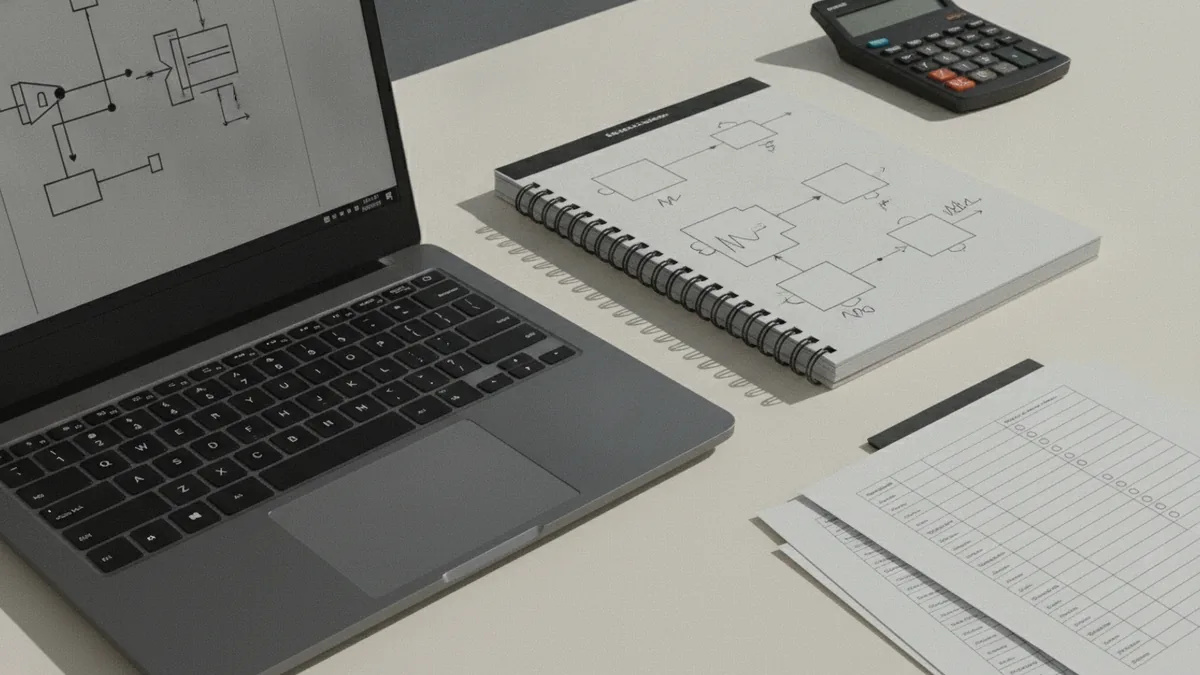
Choose a legal setup and handle business licensing
When you how to start a computer shop business, treat legal setup as an early build step. A common choice is forming an LLC. It can give you liability protection and keeps business tax filing simpler in many cases.
Start with your state’s filing process for an LLC and create an operating agreement. Even if you run it alone, document how you will handle ownership and decision making. This can help if you later add a partner or take on employees.
Next, handle business licensing and tax registrations. In many places, you will need a seller’s permit if you sell taxable goods. You will also want an Employer Identification Number (EIN) from the IRS, even if you do not plan to hire right away.
| Requirement | Why you need it | Common timing |
|---|---|---|
| LLC formation | Helps separate personal and business risk | Before you take larger payments |
| Seller’s permit | Allows lawful sales of taxable items | Before you sell parts or PCs |
| EIN | Used for banking, taxes, and hiring | Early, often right after LLC |
| Local business registration | May be required for storefront or home setup | Check before opening |
Costs can vary by state and local rules. Still, you should plan for startup costs in the $6,000 to $18,000 range. This range often includes initial inventory, tools, and legal formation fees. It can also include website setup, initial marketing, and insurance deposits.
Buy the right insurance before you take orders
Insurance is not optional when you are selling expensive hardware. You need coverage that matches the risks of parts handling, shipping, and customer expectations.
At minimum, many owners invest in liability insurance and professional coverage. General liability can help with third-party claims involving bodily injury or property damage. Professional liability can help with claims tied to services, like incorrect advice or a system that fails due to a build error.
Ask insurers about coverage for computer repair and custom builds. Also clarify whether you need coverage for parts you hold, and how claims work when a customer reports a failure days after pickup.
- Request quotes with your exact services, like assembly, troubleshooting, and upgrades.
- Confirm your warranty terms align with your insurance coverage.
- Keep build checklists and part logs for claim support.
- Set a policy for shipping responsibility and customer acceptance.
Set up a workspace and source inventory reliably
A clean, functional workspace setup is where quality and speed come from. You will need an anti-static area, basic diagnostic tools, and a system for tracking inventory.
Start with a small set of proven tools. For example, keep a quality screwdriver set, thermal paste where needed, zip ties, cable labels, and a reliable power supply test method. Also plan for storage bins and a simple rack or shelf layout so you can find parts quickly.
For starting a computer hardware business, supplier relationships matter. Use reliable distributors and compare lead times, return windows, and restocking fees. If a supplier has long delivery times, you should reflect that in your customer quoting.
- Create a parts intake process: record serial numbers, purchase dates, and compatibility notes.
- Use bin labels and a simple SKU system for inventory management.
- Test components before assembly when possible, especially drives and memory.
- Keep a short build log for each PC and save it for warranty and returns.
- Plan a “common failure” diagnostic flow so troubleshooting stays fast.
If you are also building a computer recycling business, your workflow will shift. You still need safe testing and secure data wiping. But you also need clear pricing rules and a way to grade used components.

Install payment processing and run tight financial management
Payment processing is where many new builders get surprised. Customers will pay with cards, and you may still face disputes. Your job is to reduce risk with smart policies and clear receipts.
Use a payment processor that supports business accounts and offers standard fraud tools. Also consider non-refundable deposits for custom builds. Deposits reduce losses when customers cancel after you have ordered parts.
At the same time, account for transaction fees. If you quote pricing, include a clear estimate of any deposit amount and communicate the fee policy upfront. Many owners lose money when they ignore fees in their labor pricing.
- Charge deposits for made-to-order builds to cover part orders and build time.
- Require written acceptance for quotes and specs, then save the record.
- Document build stages so you can respond quickly to disputes.
- Use separate bank accounts for the business to simplify bookkeeping.
Then maintain financial management from day one. Track every receipt and use a bookkeeping system that categorizes costs like parts, shipping, tools, software, and insurance. This makes it easier to set prices and understand your real margins.
Also watch cash flow. Inventory buys can happen before customer payments clear. Keep a simple cash tracker with your weekly obligations and expected incoming payments.
Scale with careful hiring and streamlining
As orders grow, you will need to split labor and reduce errors. Many owners start with themselves and one part-time helper for assembly or testing. Later, you might add a technician role and a customer support role.
When you employee hiring, document the work first. Create a build checklist and a testing checklist. Then train new hires with the same steps so output quality stays consistent.
If you also plan how to start a computer training business or classes, scale differently. Offer short sessions on building basics, upgrades, and safe maintenance. A training track can grow without adding full-time inventory load.
Operational streamlining can also include systems for quoting and customer communication. Use consistent templates for quotes, deposits, and warranty terms. You want customers to understand the timeline and what changes could affect price.
FAQ: starting a computer building business
Q: How much money do I need to start computer building?
A: Many new owners budget about $6,000 to $18,000. That often covers initial inventory, tools, legal setup, and insurance deposits.
Q: Should I form an LLC?
A: In many cases, an LLC helps separate personal risk from business activity. It can also simplify tax filing depending on your setup.
Q: What licenses and numbers do I need?
A: Common needs include a seller’s permit for sales and an EIN for taxes and banking. Local requirements vary, so check your state and city rules.
Q: What insurance should I buy first?
A: Many builders start with general liability and professional liability. Ask about coverage that matches custom builds, repairs, and shipping risk.
Q: How do I prevent payment disputes?
A: Use deposits for custom work, document quotes and build steps, and keep customer acceptance records. Clear policies reduce disputes and speed up resolution.
Q: Is this the same as computer consulting?
A: It overlaps. Computer consulting usually focuses on advice and configuration, while a build business also covers hardware assembly and testing.
Frequently asked questions
- How to start a computer building business with no experience?
- Start with a limited set of build tiers and strict intake forms. Offer quotes based on clear specs, and use checklists for testing and documentation.
- What are typical startup costs for starting a computer parts business?
- Many owners plan for $6,000 to $18,000. Inventory is the biggest early driver, plus tools, legal formation, and insurance deposits.
- Do I need a seller’s permit and EIN for a computer shop business?
- Often yes. Seller’s permits are common for taxable goods, and an EIN is useful for banking and taxes.
- What insurance do I need when starting a computer hardware business?
- General liability is a common baseline. Professional liability can also help when claims relate to your service work.
- How do I manage payment processing for custom PC builds?
- Use a business-friendly payment processor and require deposits for custom builds. Document quotes and acceptance to reduce disputes and chargebacks.
- What bookkeeping system should I use for financial management?
- Use a system that categorizes parts, shipping, tools, and insurance. Track cash flow weekly so you can buy inventory without cash surprises.
Related reading

Start a Mobile Drug Testing Business (Without a Lab)
Build a mobile testing service with sound training, lab links, and clear pricing.

Start a Business with a Problem Worth Solving
Turn a useful idea into a business with clear steps, sound research, and steady resolve.

Loft Conversion Timelines — What Affects the Build
Typical build times range from four to twelve weeks, plus planning and setup.